|
3
min read
Why Static Portfolios Are Dead: Adding WebGL & Physics to Framer
Flat, static web design is no longer enough to win high-end clients, secure premium retainers, or land Site of the Day. Today’s users don't just want to read your case studies; they expect a cinematic, tactile experience. The shift in digital design is undeniable: top-tier agencies are utilizing fluid dynamics, kinetic typography, and physics-based grids to stand out from the noise.
If you want to build an interactive Framer portfolio that actually turns heads and commands higher budgets, the secret lies in integrating advanced Framer WebGL components.
The Barrier to Entry: Why 3D is Hard
Let's be honest about the elephant in the room. Building custom WebGL and Three.js Framer components from scratch is a massive, highly technical headache. It requires complex math, a deep understanding of rendering logic, custom React hooks, and endless debugging to ensure your visual effects don't destroy the site's performance.
For an agency, spending 40+ hours writing custom physics engines and tweaking drag inertia destroys profit margins. You need architectural motion to compete at the highest level, but you cannot afford the custom development sinkhole for every new client project.
The Performance Trap: Core Web Vitals vs. 3D Motion
One of the biggest mistakes designers make when trying to add 3D elements to Framer is ignoring Core Web Vitals. Dropping heavy, unoptimized canvas elements onto a page will tank your load speeds, ruin your mobile experience, and destroy your SEO rankings.
This is where the engineering matters. You need components that utilize hardware-accelerated rendering and smart resource management so they only fire when in view.
The Framer Cheat Code: Drag-and-Drop WebGL
The reality is, you don't need to write the math; you just need the right assets. By leveraging pre-packaged, 60FPS motion systems, designers can achieve high-end aesthetics instantly via a simple Remix link.
Instead of fighting with code and breaking your layout, you can simply drop production-ready Framer shaders directly onto your canvas. This is how elite studios bridge the gap between complex engineering and visually stunning Awwwards Framer templates, ensuring maximum aesthetic impact without dropping a single frame of performance.
4 Ways to Upgrade Your Portfolio Today
Here is how you can inject cinematic impact into your site right now, zero coding required:
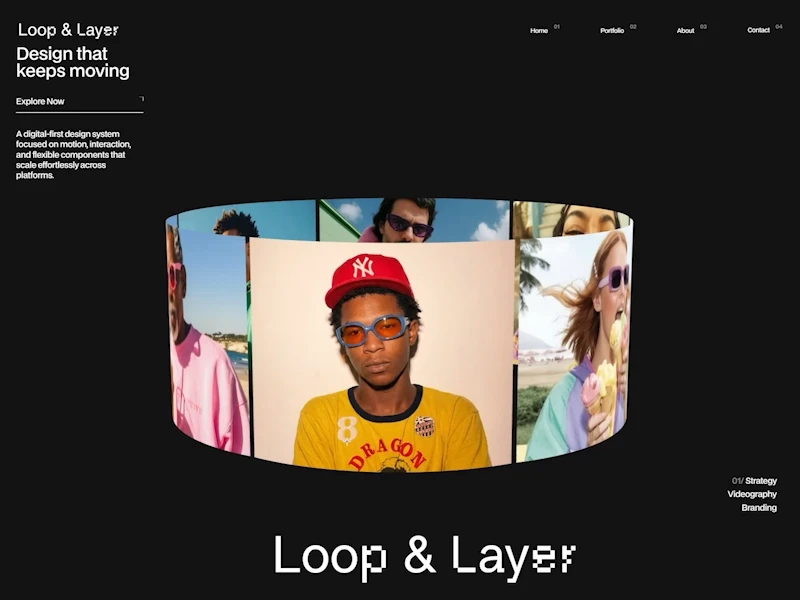
1. Ditch the Basic Slider for 3D Architecture Stop delivering flat, uninspired carousels. Turn your case studies and project imagery into an immersive 3D arena by swapping out standard sliders for the Media Spiral Gallery or the Orbiting Gallery. These components use buttery-smooth inertia to let users grab, spin, and interact with your products in total 3D space.
2. Add Tactile, Liquid Hover Effects Cursors should interact with your UI, not just float over it. Make your digital canvas feel alive by applying the Neural Reveal Fluid or the Quantum Mesh Displace. These shaders ensure your imagery reacts dynamically to user velocity, shattering grids or creating liquid ripples that make the digital experience feel physical.

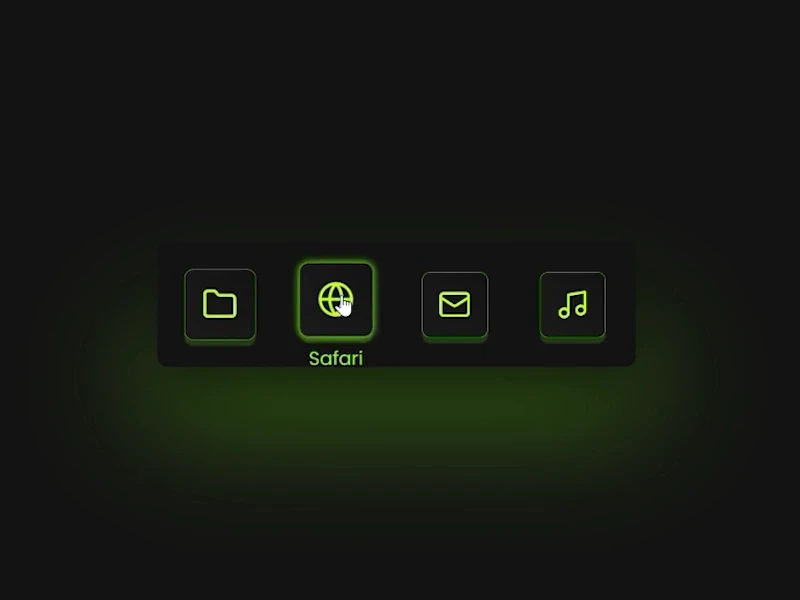
3. Implement Kinetic Navigation Your header is the most interacted-with element on your site; it shouldn't be a boring row of text. Replace static text links with magnetic, proximity-based physics using the Extreme Dock or Menu 3D to create a tactile gateway to your work.
4. Revolutionize the Standard CTA Even the smallest micro-interactions matter on a premium site. Swapping out a standard hover state for a Cyberpunk Glitch Button or a Celebration Particle Button turns a simple click into a rewarding, physics-based event that keeps users engaged.

Stop Building from Scratch
Your time is infinitely better spent designing award-winning layouts, closing bigger clients, and perfecting your UX—not debugging custom GLSL code or fighting with canvas wrappers.
Stop reinventing the wheel for every new project and start shipping digital art. To instantly upgrade your toolkit and get the exact 60FPS, zero-code assets we use to build high-end experiences, Unlock the complete Creative Apes WebGL arsenal.
Share It On :